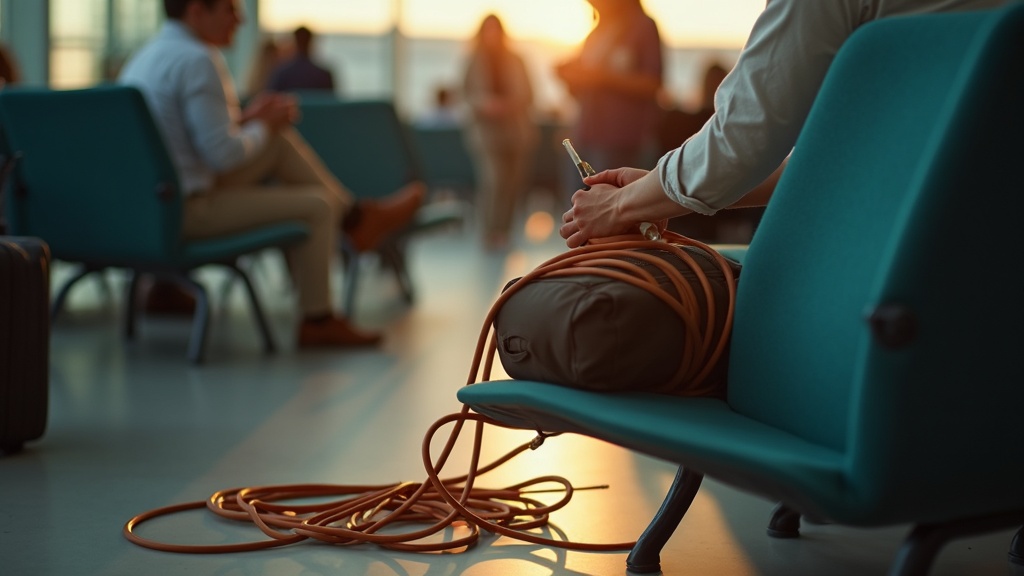
You know the moment. You reach into your bag for your phone charger and pull out a knotted mess of cables that somehow tangled themselves together during the flight. Your earbuds are wrapped around your laptop charger. Your USB cable has disappeared into a side pocket. And that adapter you definitely packed? Good luck finding it now.
Travel electronics have a special talent for chaos. Unlike clothes that stay folded or toiletries that stay in their bottles, cables are basically designed to create problems. They’re long, flexible, and love to wrap around each other. Throw in multiple chargers, adapters, and maybe a portable battery, and your bag becomes a electronic spaghetti bowl.
The mess isn’t just annoying. It wastes time when you’re rushing to catch a connection. It creates stress when you can’t find the right cable at airport security. And it actually damages your electronics when cords get bent or crushed at weird angles trip after trip.
But here’s the thing: organizing travel electronics doesn’t mean buying expensive gadgets or spending an hour preparing your bag. It just means understanding why the tangle happens and using a few simple tricks to prevent it. When your cables are actually organized, you can grab exactly what you need in seconds. Everything has a spot. Nothing gets lost or damaged. And you never have to untangle anything while standing in an airport terminal.
That’s what we’re aiming for, and it’s easier than you think.
Start by deciding what actually needs to come
Before you even think about organizing cables, take everything out and ask yourself what you’ll actually use. Most of us pack way more than we need because we’re worried about being caught without the right charger in a hotel room at midnight.
Start with your devices. Phone, laptop, maybe a tablet or e-reader. Write them down if it helps. Now match each device to its specific charger or cable. This sounds obvious, but it’s where people often pack duplicates without realizing it.
Here’s where you can trim things down. If your phone and tablet both charge with the same cable, you only need one cable and one power adapter. Many newer devices share charging standards, so check what you already own before assuming you need separate everything.
The temptation is always to throw in extras just in case. An old backup cable. A charger for a camera you might not even use. A power bank that’s been sitting in a drawer for two years. Unless you have a specific reason to bring something, leave it home.
Think about your actual trip too. A weekend getaway needs less than two weeks abroad. If you’re visiting one country, you need one type of adapter, not a universal kit with twelve different plug configurations. Be honest about what the trip requires, not what a theoretical perfect trip might need.
This sorting process takes five minutes and can cut your cable load in half. Fewer items means less weight, less bulk, and a lot less untangling when you arrive.
Group items by when you’ll need them
The smartest way to organize your cables isn’t by device or by length. It’s by figuring out when you’ll actually reach for them during your trip.
Think about your phone charger and earbuds cable. You’ll probably need those on the plane or train, stuffed in your pocket or personal item. That’s your “in-transit” group. Keep them together in an outer pocket or small pouch you can grab without opening your main bag.
Then there’s everything you plug in before bed. Your phone charger again, maybe a smartwatch cable, possibly a tablet cord. This is your “nightstand” bundle. When you check into a hotel, you pull out this one group and set it by the bed. Done.
If you’re traveling for work, make a separate “work setup” group with your laptop charger and any accessories like a mouse or presentation remote. You might not touch these until you’re at a meeting or sitting down at a café.
The benefit isn’t just convenience. When you group things by the moment you need them, you’re way less likely to leave something plugged into a hotel outlet at checkout. You unplug your nightstand bundle as a set, toss it back in its pouch, and you’re covered.
You also skip the frantic bag-dumping that happens when you need one specific cable right now. No more digging through everything because you can’t find your earbuds. You already know which pouch they’re in.
Give every cable a simple way to stay coiled
The simplest way to avoid a nest of tangled cords is to give each one a little structure before it goes in your bag. You don’t need fancy tools or complicated techniques. Just coil the cable loosely in your hand, making loops that are a few inches wide. Don’t wrap it too tight or you’ll stress the wire inside.
Once you’ve got a neat coil, keep it that way with something that holds it closed. Velcro cable ties work great because you can reuse them forever and they don’t leave sticky residue. Rubber bands are cheap and do the job, though they can wear out or snap eventually. Twist ties from bread bags cost nothing and work surprisingly well. Even a hair tie will keep a cable bundled if that’s what you have on hand.
Here’s a tip that really matters: don’t pull the cable tight right up to the plug or connector. Those delicate ends are where cables break most often. Leave a small, relaxed loop near each end before you start wrapping. This gives the cable a little breathing room and prevents the wire from bending at a sharp angle where it meets the plug.
The whole process should take you less than a minute per cable. Loop it loosely, secure it with whatever you’ve got, and make sure the ends aren’t stressed. That’s it. When you pull the cable out at your destination, it’ll uncoil smoothly instead of requiring ten minutes of frustration and the kind of language you don’t want to use in an airport.
Use one pouch or bag, but set it up to stay readable
The mistake most people make isn’t skipping the pouch. It’s treating it like a junk drawer. You toss everything in, zip it up, and hope for the best. Then at the airport gate you’re digging through a pile of cords like you’re fishing for keys at the bottom of a handbag.
The fix is simple: organize the inside of your pouch so nothing hides. Keep your bulky items on one side and your flat items on the other. Phone charger and battery pack? One side. Cables and headphones? The other. This way when you open it, you can see what you’ve got without moving things around.
Small pieces are the real troublemakers. Adapters, SD cards, and USB dongles love to disappear under everything else. Put them in a separate small bag or pouch inside your main one. Even a sandwich bag works. The point is containment.
Think one layer whenever possible. If your pouch has elastic loops or pockets, great. If not, just avoid stacking things on top of each other. Lay items side by side instead of piling them up. You want to open the pouch and spot what you need in two seconds, not play electronics Jenga.
You don’t need anything fancy for this to work. A basic pencil case does the job if you’re only carrying a couple chargers and one cable. The zippered mesh pouches sold near school supplies are perfect for light travelers. Save your money and use what makes sense for how much gear you actually carry.
Label the look-alike chargers and adapters once
If you travel with more than one device, you probably own at least three black cables that look nearly identical. When you’re tired and trying to charge your phone at a hotel, the last thing you want is to play a guessing game with five similar-looking chargers.
The fix is embarrassingly simple: label them once at home, and you’ll never mix them up again. A small piece of masking tape wrapped around the cable near the plug works perfectly. Write the device name on it with a pen. “Phone.” “Laptop.” “Tablet.” Done.
If you don’t like the tape look, colored dots or stickers do the same job. You can find little sticky dots at any office supply store. Assign each device a color. Your phone gets green, your laptop gets blue, your kid’s tablet gets red. Everyone in the family knows their color, and there’s no confusion at the breakfast table.
Another option is to write directly on a small luggage tag and attach it to the cable with a twist tie or those reusable cable straps. This works especially well for chargers you share with family members or swap between trips.
For power bricks and adapters, you might also want to note where you typically use them. A label that says “nightstand” or “work bag” can save you from packing the wrong one. If you have chargers with different power levels, a quick note like “fast charge” helps you grab the right one when you’re in a hurry.
The key is to do this once, at home, when you’re not rushed. Ten minutes of labeling now means no more untangling mystery cords in a dark hotel room later.
Pack chargers where they won’t get crushed or bent
Chargers and cables break most often at the spots where they bend sharply or get pressed under weight. The little rubber coating near the plug wears down fast when it’s jammed into a corner or trapped under something heavy like shoes or a toiletry bag. Once that coating splits, the wires inside start to fray, and your charger stops working.
The safest spot for your cables is near the top of your bag, nestled against soft items like clothing. If you’re using a dedicated electronics pouch, tuck it between layers of shirts or inside a sweater rather than at the bottom where everything else piles on top. This keeps the weight distributed and prevents crushing.
Outer pockets can work well, but only if they’re not the kind that get squished when you carry your bag or stuff it under a seat. A front compartment that stays relatively flat is fine. Avoid side pockets that press against your body or get compressed when the bag is full.
Pay special attention to the plug prongs and chunky power adapters. These rigid pieces can press into your laptop screen, tablet, or phone if they’re packed carelessly. Keep them facing away from any screens or fragile electronics. If your charger has a brick-style adapter, wrap the cable loosely around it and secure it with a twist tie, then place it where the hard edges won’t dig into anything delicate.
The goal is simple: keep cables away from pressure points and hard objects. A little thoughtfulness about placement saves you from buying replacement chargers on the road.
Use a quick reset routine so things don’t drift into chaos
The best organizing system in the world falls apart if you don’t actually use it. And when you’re tired from a long day of travel or sightseeing, the last thing you want is a complicated routine.
Here’s what works: every time you’re about to leave a hotel room or rental, do a quick outlet check. Walk around and look for any cables you’ve plugged in. Phone charger by the bed, laptop cable at the desk, power bank on the nightstand. Unplug each one, give it a quick coil, and tuck it back in its spot in your electronics pouch.
This takes maybe thirty seconds, but it saves you from that panicked moment at the airport when you realize your favorite charging cable is still plugged in two cities ago.
During the day, things get messy. You pull out a cable at a café, stuff it in your bag, pull out another one on the train. That’s fine. Most electronics pouches have a main compartment with all your organized spots, but they also have room for a little chaos zone. Use one section as a temporary dump spot for cables you’re actively using.
Then at night, when you’re settling in, spend two minutes putting things back where they belong. Dump spot cables go back to their proper places. Everything gets a quick coil. The whole pouch resets.
This isn’t about being perfectly organized every second. It’s about having one simple moment when you restore order, so the chaos doesn’t compound day after day until you’re traveling with a tangled nightmare.