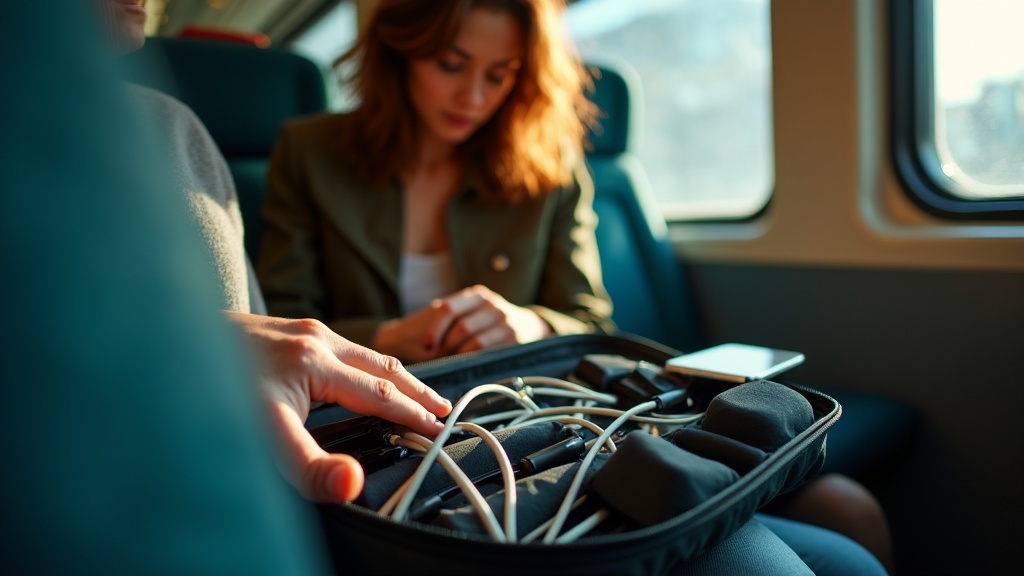
You open your backpack at airport security and face a tangled mess of charging cables, adapters, earbuds, and mysterious dongles you’re not entirely sure you need. Sound familiar? You’re traveling with a laptop, phone, tablet, maybe a portable charger and noise-canceling headphones. That’s just normal now. But most packing advice still acts like you’re carrying one device and a single charger.
The reality is messier. Your bag becomes a black hole where cables breed and small adapters vanish into corner seams. You waste time fishing around for the right cord while your laptop battery ticks down to zero. Or worse, you arrive at your destination and realize that tiny USB adapter is still wedged in your couch at home.
This isn’t about being obsessive or buying expensive gear you don’t need. It’s about one simple goal: being able to grab what you need in five seconds, keeping your devices safe from getting crushed or scratched, and not leaving anything behind when you pack up to leave.
If you’ve ever untangled earbuds with your teeth or bought the same charging cable three times because you keep losing it, you already know why this matters. Modern travel means modern problems. Let’s fix the cable chaos without turning your bag into a complicated system you’ll abandon by your second trip.
Start by listing what you actually carry, not what travel guides assume
Most travel packing guides assume you’re carrying a phone, a laptop, and maybe a tablet. But if you’re reading this, you probably have more than that. Before you buy any organizer or pouch, take ten minutes to pull out everything you actually travel with and lay it on a table.
Start with your devices. That’s the easy part. Then look at how each one charges. Do you have three things that need USB-C, two that still use Lightning, and one with its own weird proprietary cable? Write it down. Count how many wall outlets or USB ports you need at once when everything’s dead.
Now think about the extras that don’t fit the typical travel article template. Do you carry a wireless mouse because trackpads drive you crazy? An external SSD with client files? A stylus for your tablet? Camera batteries, a presentation clicker for work talks, or that tiny SIM ejector tool you can never find? These small things are exactly what get lost in bags or scattered across three different pockets.
Here’s the other part most people skip: separate what you need within arm’s reach during the day from what’s just backup. Your everyday charging cable lives in a different mental category than the spare one you hope you never need.
Once you’ve done this inventory, pick one set of items that becomes your default travel kit. Keep it packed. Don’t break it up between trips. This isn’t about owning less stuff or switching all your cables to one standard. It’s about knowing exactly what you’re organizing so you can find a system that actually fits your reality.
Use a small set of categories so you can grab the right thing fast
When you’re hauling around multiple devices, the instinct is to sort everything into its own perfect spot. But that actually makes things worse. You end up with too many little compartments, and you forget which pouch has what.
Instead, think in terms of four or five simple categories that match what you’re actually trying to do. Charging stuff goes together: wall chargers, USB power adapters, your power bank. Connection gear gets its own group: the cables you use daily, dongles, any travel adapters for foreign outlets. Audio equipment is another natural cluster: earbuds, headphones, maybe a small mic if you take calls on the road.
If you carry external drives or memory cards, put those in a storage and tools category along with things like a SIM ejector tool or a tiny screwdriver. And keep a spares group for the extras that save you when something fails: a backup charging cable, spare earbud tips, that one weird adapter you need twice a year.
The magic number is somewhere between three and five categories. Any fewer and you’re just throwing everything into one big mess. Any more and you’re back to playing memory games every time you need something.
Once you land on categories that feel right, stick with them trip after trip. Your brain will learn the system fast. You’ll reach for the right pouch without thinking, even when you’re jet-lagged or rushing to catch a train. That consistency matters more than buying the perfect organizer or color-coding everything.
Prevent tangles and snags with a few cable habits that travel well
The biggest annoyance with travel tech isn’t usually a dead battery or a forgotten adapter. It’s opening your bag and finding a nest of tangled cables that takes three minutes to unravel. The fix isn’t buying fancy gear. It’s just handling your cables the same way every single time.
Coil each cable loosely in the same direction before you pack it. Not tight, not random. Just a gentle loop that fits in your palm. Then secure it with a reusable Velcro tie or a simple rubber band. This takes five seconds per cable and saves you from that frustrating knot situation later.
Keep your short cables short. If you have a six-inch USB-C cable, don’t wrap it into a tiny tight puck. That stresses the ends and creates those annoying bends right where the cable meets the connector. Those bent tips are usually the first thing to fail. Same goes for earbuds with thin wires. Give them a little breathing room.
Separate heavy chargers from delicate cables when you pack. A brick-sized laptop charger will crush or tangle with everything nearby if it’s all jumbled together. Put chargers in one section and lighter cables in another.
When you’re using a pouch or organizer, tuck coiled cables into edge pockets or slide them under elastic loops if your pouch has them. Even a simple rubber band stretched across the inside can hold coiled cables in place. The goal is to stop them from unraveling and wrapping around each other while your bag gets tossed around.
One last thing: check your bag zippers. Cables love to catch on zipper teeth, especially thin ones like headphone cords. Close pouches slowly and make sure nothing’s sticking out before you yank the zipper shut.
Match the organizer to your friction points, not to what looks tidy online
The prettiest cable organizer is useless if it makes your actual problem worse. Before you buy anything, figure out what’s currently driving you crazy. Is it waiting at airport security while you dig for a laptop charger? Cables getting crushed? Running out of space? Your answer determines what kind of organizer actually helps.
Slim zip pouches work great if most of your stuff is flat: USB cables, adapters, a slim power bank. They slip easily into laptop compartments and lay flat in bags. But try to cram in a bulky multi-port charger or a chunky battery pack and you’ll fight that zipper every time. They also tend to become black holes where small items hide at the bottom.
Accordion-style organizers with elastic loops look incredibly tidy in photos. They’re excellent for keeping lots of small items visible and separated. The problem is access: you have to unroll or unfold the whole thing to grab one cable. If you’re constantly plugging and unplugging devices, that gets old fast.
Hard-shell cases protect fragile items like portable SSDs or good headphones. They won’t get crushed at the bottom of your backpack. The tradeoff is bulk and weight. They also don’t flex, so if your bag is already stuffed, they’re not going in.
Roll-up organizers pack down small and can hold a surprising amount. But items can shift around or fall out when you open them if the pockets aren’t deep enough. Check whether they stay open on their own or if you need two hands.
Modular mini pouches let you separate chargers from cables from adapters. Great for flexibility, but only if you have room for multiple pouches and won’t lose track of them. Whatever you choose, check the zipper quality by tugging it a few times, make sure your largest charger actually fits, and confirm that internal pockets or elastic bands will hold things in place when the organizer gets jostled in your bag.
Place tech so it’s easy at the gate and safe in transit
Airport security lines move fast, and fumbling through your bag while people wait behind you is nobody’s idea of fun. Keep the things you’ll need to pull out quickly in an outer pocket or right at the top of your main compartment. That means your laptop, tablet, and maybe your portable battery if security flags it.
Put together a small “first off the plane” pouch with the essentials you’ll want the moment you land. Your phone charging cable, a wall adapter that works in your destination, and maybe earbuds. Tuck this near the top too. You don’t want to unpack your entire bag at the airport just to charge your phone during a delay.
Heavier items like your laptop or a camera should sit low in your bag and close to the side that rests against your back. This keeps the weight balanced and protects your gear from getting crushed if someone shoves your bag into an overhead bin. Light things like charging cables and adapters can go anywhere, as long as they’re organized.
Keep liquids far away from your electronics. A leaking water bottle and a laptop in the same compartment is a expensive disaster waiting to happen. If your bag has a separate bottom pocket, that’s where bottles belong.
Here’s a simple rule that prevents the dreaded security bin scramble: one pouch per category. Cables in one, adapters in another, batteries in a third. When you need to empty your pockets at security, everything goes into one designated pouch that you can zip shut. Nothing gets left in a plastic bin or dropped on the floor. You’ll breeze through security and keep track of everything that matters.